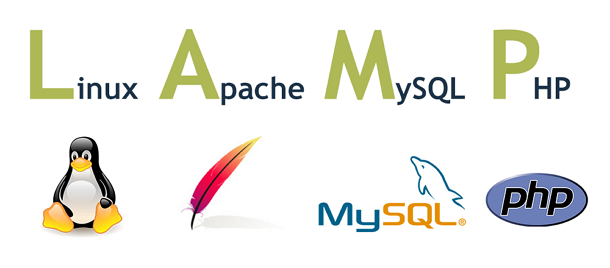





A powerful bash script for automated installation of Apache + MariaDB + PHP
- Description
- Supported System
- System Requirements
- Supported Software
- Supported Architecture
- Installation
- Upgrade
- Uninstall
- Default Location
- Process Management
- lamp Command
- Bugs & Issues
- License
LAMP (Linux + Apache + MariaDB + PHP) is a powerful bash script for the installation of Apache + MariaDB + PHP and so on.
You can install Apache + MariaDB + PHP in a smaller memory VPS by package manager command (dnf for Enterprise Linux, apt-get for Debian/Ubuntu). Just need to input numbers to choose what you want to install before installation.
⚡ All things will be done in a few minutes.
| Distribution | Versions |
|---|---|
| Enterprise Linux | 8 / 9 / 10 (CentOS Stream, RHEL, Rocky Linux, AlmaLinux, Oracle Linux) |
| Debian | 11 / 12 / 13 |
| Ubuntu | 20.04 / 22.04 / 24.04 |
| Requirement | Minimum |
|---|---|
| Disk Space | 5 GiB |
| RAM | 512 MiB |
| Network | Internet connection required |
| Repository | Correct system repository |
| User | root |
| Software | Versions | Package Source (RPM) | Package Source (DEB) |
|---|---|---|---|
| Apache | 2.4 | Teddysun Repository | Official Repository |
| MariaDB | 10.11, 11.4, 11.8 | MariaDB Repository | MariaDB Repository |
| PHP | 7.4, 8.0, 8.1, 8.2, 8.3, 8.4, 8.5 | Remi Repository | deb.sury.org |
x86_64(amd64)aarch64(arm64)
# Install dependencies
dnf -y install wget git

# Clone repository
git clone https://github.com/teddysun/lamp.git
cd lamp

# Make scripts executable and run
chmod 755 *.sh
./lamp.sh# Install dependencies
apt-get -y install wget git
# Clone repository
git clone https://github.com/teddysun/lamp.git
cd lamp
# Make scripts executable and run
chmod 755 *.sh
./lamp.sh# Upgrade Apache
dnf update -y httpd
# Upgrade MariaDB
dnf update -y MariaDB-*
# Upgrade PHP
dnf update -y php-*dnf module switch-to php:remi-8.4# Upgrade Apache
apt-get install --only-upgrade -y apache2
# Upgrade MariaDB
apt-get install --only-upgrade -y mariadb-*
# Upgrade PHP (replace 8.4 with your version)
php_ver="8.4"
apt-get install --only-upgrade -y php${php_ver}-*# Remove Apache
dnf remove -y httpd
# Remove MariaDB
dnf remove -y MariaDB-*
# Remove PHP
dnf remove -y php-*# Remove Apache
apt-get remove -y apache2
# Remove MariaDB
apt-get remove -y mariadb-*
# Remove PHP (replace 8.4 with your version)
php_ver="8.4"
apt-get remove -y php${php_ver}-*| Location | Enterprise Linux | Debian/Ubuntu |
|---|---|---|
| Web root | /data/www/default |
/data/www/default |
| Main configuration | /etc/httpd/conf/httpd.conf |
/etc/apache2/apache2.conf |
| Sites configuration | /etc/httpd/conf.d/vhost |
/etc/apache2/sites-enabled |
| Location | Enterprise Linux | Debian/Ubuntu |
|---|---|---|
| Data location | /var/lib/mysql |
/var/lib/mysql |
| Configuration | /etc/my.cnf |
/etc/mysql/my.cnf |
| Location | Enterprise Linux | Debian/Ubuntu |
|---|---|---|
| php-fpm configuration | /etc/php-fpm.d/www.conf |
/etc/php/${php_ver}/fpm/pool.d/www.conf |
| php.ini | /etc/php.ini |
/etc/php/${php_ver}/fpm/php.ini |
Note: For Debian/Ubuntu, replace
${php_ver}with your PHP version (e.g.,8.4).
| Process | Command |
|---|---|
| Apache | systemctl [start|stop|status|restart] httpd |
| MariaDB | systemctl [start|stop|status|restart] mariadb |
| PHP-FPM | systemctl [start|stop|status|restart] php-fpm |
| Process | Command |
|---|---|
| Apache | systemctl [start|stop|status|restart] apache2 |
| MariaDB | systemctl [start|stop|status|restart] mariadb |
| PHP-FPM | systemctl [start|stop|status|restart] php${php_ver}-fpm |
Note: For Debian/Ubuntu PHP-FPM, replace
${php_ver}with your PHP version (e.g.,php8.4-fpm).
| Command | Description |
|---|---|
lamp start |
Start all LAMP services |
lamp stop |
Stop all LAMP services |
lamp restart |
Restart all LAMP services |
lamp status |
Check all LAMP services status |
lamp version |
Print all LAMP software versions |
lamp vhost add |
Create a new Apache virtual host |
lamp vhost list |
List all Apache virtual hosts |
lamp vhost del |
Delete an Apache virtual host |
lamp db add |
Create a MariaDB database and user |
lamp db list |
List all MariaDB databases |
lamp db del |
Delete a MariaDB database and user |
lamp db edit |
Update a MariaDB user's password |
Please feel free to report any bugs or issues:
- 📧 Email: i@teddysun.com
- 🐙 GitHub: Open an issue
Copyright © 2013 - 2026 Teddysun
Licensed under the GPLv3 License.
