

A minimal pastebin with a design shamelessly copied from bin.
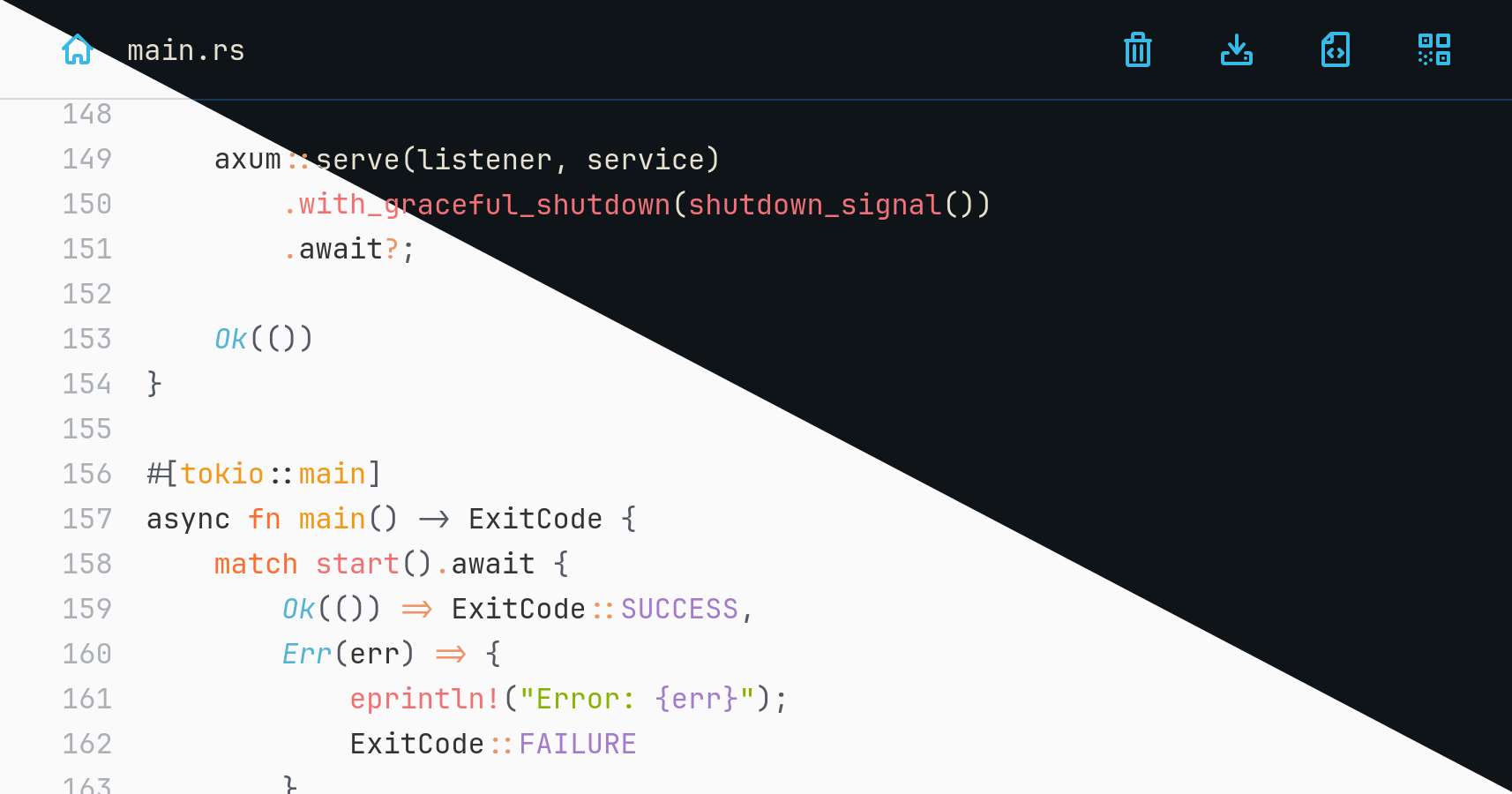
DEMO (resets every day)
You are reading the documentation for an unreleased version. You can refer to earlier versions here: 2.7.1 • 3.0.0
- axum and sqlite3 backend
- comes as a single binary with low memory footprint
- compresses pastes using zstd
- highlights entries with syntect
- has seven color themes in light and dark mode
- encrypts entries using ChaCha20Poly1305 and argon2 hashed passwords
- allows deletion after expiration, after reading or by anonymous owners
- shows QR code to browse a paste's URL on mobile devices
- user authentication and admin functionality
- arbitrary file uploads
- mitigations for all kinds of DoS attack vectors
Install a Rust 2024 toolchain containing Rust 1.85 with rustup and run the server binary with
$ cargo run --release
You can also download pre-built, statically compiled Linux
binaries. After extraction run the
contained wastebin binary.
It's possible to build a container image using Docker or Podman. Assuming you're in the root directory of repository run
$ sudo docker build -t wastebin:v3.0.0 -f Dockerfile .for Docker or
$ podman build -t wastebin:v3.0.0 -f Dockerfilefor Podman.
To cross-compile, make sure that your container engine of choice supports it, e.g. Docker:
$ sudo docker buildx ls
NAME/NODE     DRIVER/ENDPOINT   STATUS    BUILDKIT   PLATFORMS
default*      docker
 \_ default    \_ default       running   v0.14.1    linux/amd64, linux/amd64/v2, linux/386, linux/arm64, linux/riscv64, linux/ppc64, linux/ppc64le, linux/s390x, linux/mips64le, linux/mips64, linux/loong64, linux/arm/v7, linux/arm/v6
To build an arm64 image on an x86_64 host run
$ sudo docker build --platform linux/arm64 -t wastebin:v3.0.0-arm64 -f Dockerfile.arm .or
$ podman build --arch=arm64 -t wastebin:v3.0.0-arm64 -f Dockerfile.armAlternatively, you can run a pre-built Docker image pushed to quxfoo/wastebin.
Here is how to persist the database as state.db via the
WASTEBIN_DATABASE_PATH environment variable and a bind mount to
/path/for/storage:
$ docker run -e WASTEBIN_DATABASE_PATH=/data/state.db -v /path/for/storage:/data quxfoo/wastebin:latest
NOTE: The image is based on scratch which means it neither comes with a
shell nor with TMPDIR being set. If database migrations fail with an extended
sqlite error code 6410, pass TMPDIR pointing to a location, sqlite can write
to.
services:
  wastebin:
    restart: always
    environment:
      - WASTEBIN_DATABASE_PATH=/data/state.db
    ports:
      - "8088:8088"
    volumes:
      - './data:/data'
    image: 'quxfoo/wastebin:latest'
Make sure the ./data folder is writable by the user 10001.
For Nix users, a flake.nix is also provided. Build and execute it directly
with:
nix run 'github:matze/wastebin#wastebin'Or install the provided wastebin package like you normally would.
When viewing a paste, you can use
- r to view the raw paste,
- n to go the index page,
- y to copy the current URL to the clipboard,
- c to copy the content to the clipboard,
- q to display the current URL as a QR code,
- p to view the formatted paste and
- ? to view the list of keybindings.
To paste some text you can also use the ctrl+s key combination.
The following environment variables can be set to configure the server and run-time behavior:
| Variable | Description | Default |
|---|---|---|
WASTEBIN_ADDRESS_PORT |
Address and port to bind the server to. | 0.0.0.0:8088 |
WASTEBIN_BASE_URL |
Base URL for the QR code display. | |
WASTEBIN_CACHE_SIZE |
Number of rendered items to cache. Disable with 0. | 128 |
WASTEBIN_DATABASE_PATH |
Path to the sqlite3 database file. | :memory: |
WASTEBIN_HTTP_TIMEOUT |
Maximum number of seconds a request is processed until wastebin responds with 408. | 5 |
WASTEBIN_MAX_BODY_SIZE |
Number of bytes to accept for POST requests. | 1048576, i.e. 1 MB |
WASTEBIN_PASSWORD_SALT |
Salt used to hash user passwords used for encrypting pastes. | somesalt |
WASTEBIN_PASTE_EXPIRATIONS |
Possible paste expirations as a comma-separated list of seconds. Appending =d to one of the value makes it the default selection. |
0,600,3600=d,86400,604800,2419200,29030400 |
WASTEBIN_SIGNING_KEY |
Key to sign cookies. Must be at least 64 bytes long. | Random key generated at startup, i.e. cookies will become invalid after restarts and paste creators will not be able to delete their pastes. |
WASTEBIN_THEME |
Theme colors, one of ayu, base16ocean, coldark, gruvbox, monokai, onehalf, solarized. |
ayu |
WASTEBIN_TITLE |
HTML page title. | wastebin |
RUST_LOG |
Log level. Besides the typical trace, debug, info etc. keys, you can also set the tower_http key to a log level to get additional request and response logs. |
POST a new paste to the / endpoint with the following JSON payload:
{
  "text": "<paste content>",
  "extension": "<file extension, optional>",
  "title": "<paste title, optional>",
  "expires": <number of seconds from now, optional>,
  "burn_after_reading": <true/false, optional>,
  "password": <password for encryption optional>,
}
After successful insertion, you will receive a JSON response with the path to the newly created paste for the browser:
{"path":"/Ibv9Fa.rs"}To retrieve the raw content, make a GET request on the /raw/:id route. If you
use a client that is able to handle cookies you make a DELETE request on /:id
using the cookie in the Set-Cookie header set during redirect after creation.
In case the paste was encrypted, pass the password via the wastebin-password
header.
Use the wastebin.nvim plugin and paste
the current buffer or selection with :WastePaste.
We can use the API POST endpoint to paste clipboard data easily from the command
line using xclip, curl and jq. Define the following function in your
.bashrc and you are good to go:
function paste_from_clipboard() {
    local URL=$(\
        jq -n --arg t "$(xclip -selection clipboard -o)" '{text: $t}' | \
            curl -s -H 'Content-Type: application/json' --data-binary @- https://wastebin.tld/api | \
            jq -r '. | "https://wastebin.tld\(.path)"')

    xdg-open $URL
}To paste from stdin use the following function in your .bashrc:
function paste_from_stdin() {
    jq -Rns '{text: inputs}' | \
        curl  -s -H 'Content-Type: application/json' --data-binary @- https://wastebin.tld/api | \
        jq -r '. | "wastebin.tld\(.path)"'
}
It can be handy for creating pastes from logs or the output of commands, e.g.
cat file.log | paste_from_stdin.