DebugConsole provides an easy to use partial that shows relevant Hugo debugging information on the browser console. This helps to debug Hugo site development without disrupting the site itself.
I created this plugin inspired by debug.Dump (yes, such thing exists!) and Kaushal Modi's hugo-debugprint. I needed something that could be contextual (i.e. be available right alongside the page I'm looking at) and also capable of preserving the page output. Because if I'm debugging it, for sure it's already broken some way and I don't want to dabble with extra stuff.
This partial uses Apache 2 License, so it can be embedded with peace of mind ;)
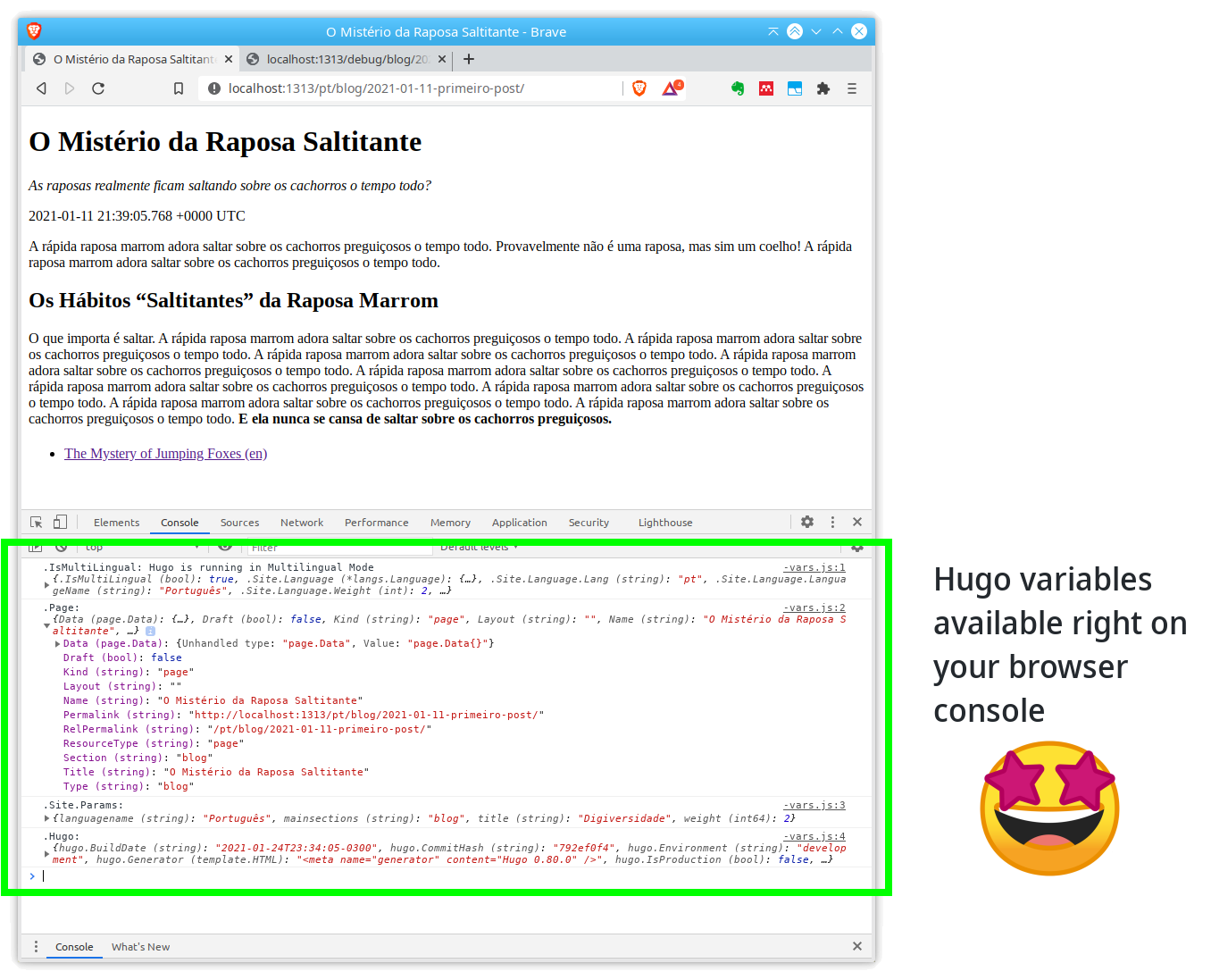
This is what you get using DebugConsole:
It uses a feature called Partials, which are code snippets that can be called by name, from layout files.
TODO: Show the partial.
{{ partial "debug.html" . }}You can use DebugConsole in two ways: as a Hugo Module or cloning the repository under themes directory. Actually there's a third way, of course: you can just download the files under layouts/partials and use them directly on your Hugo site (usually placing the files also under layouts/partials).
First, add the following module import to your Hugo config file, like config.toml:
[module]
  [[module.imports]]
    path = "github.com/marcond/hugo-debugconsole"
    disabled = false
Then start hugo serve as usual. If it fails issuing Error: module "github.com/marcond/hugo-debugconsole" not found, this indicates that you don't have Hugo Modules configured yet on your project. To activate this feature, run hugo mod init your-site inside your project root (cite source/tutorial). After that you will be able to start Hugo normally.
Note: To be able to use Hugo Modules, you need a fairly updated Go (minimum 1.12) and Hugo (minimum 0.56). Using latest versions is recommended.
Clone this repository to your-site/themes/hugo-debugconsole and update the theme variable on your Hugo config file, for instance config.toml:
theme = ["awesome-theme", "hugo-debugconsole"]