
The RetroC64 SDK brings genuine Commodore 64 development directly into your C# and .NET workflow. Build, assemble, and run real 6510 programs without leaving your IDE - no external toolchain required!
- 🚀 Zero-friction dev loop - Emit PRG/D64 and auto-launch live coding into VICE straight from .NET.
- 🧱 Fluent 6510 assembler with Asm6502 - Labels, sections, data blocks, helpers, and source mapping back to C#.
- 🧪 BASIC integration - Ideal for quick demos and prototyping.
- ⚙️ Core helpers - C64Assembler with Zero-Page allocator, raster IRQ setup, memory, and CPU/NMI utilities from
RetroC64.Coreassembly. - 🎨 Sprite pipeline with SkiaSharp - Draw in Skia and convert to C64 sprite bytes automatically.
- 🎵 SID tooling - Loader, relocator, and player (target address and ZP ranges).
- 💾 Disk and program formats - D64 and PRG support.
- 🔌 Cross-platform - Targets net9.0+.
- 🐞 First-class VS Code debugging
- Attach to debugger: Connect to RetroC64 debugger running on port 6503 (default)
- Register access: Full read-write access to CPU registers, CPU flags, stack, and zero page addresses
- Hardware registers: Access to VIC and SID registers
- Breakpoints: Set code breakpoints and data breakpoints (watchpoints)
- Execution control: Step-in, step-over, step-out, pause, and continue
- Memory inspection: View RAM contents
- Code analysis: View disassembly


Make sure you have the .NET SDK 9.0 or higher installed.
Then, you simply need to add the RetroC64 
dotnet add package RetroC64Create this simple Program.cs:
using Asm6502;
using RetroC64;
using RetroC64.App;
using static RetroC64.C64Registers;

// A program is a command line app that builds and runs a 6510 assembly program.
return await C64AppBuilder.Run<HelloAsm>(args);

/// <summary>
/// A simple assembler program that changes the background and border colors.
/// </summary>
public class HelloAsm : C64AppAsmProgram
{
    protected override Mos6502Label Build(C64AppBuildContext context, C64Assembler asm)
    {
        asm.Label(out var start)
            .BeginCodeSection("Main")
            .LDA_Imm(COLOR_RED)
            .STA(VIC2_BG_COLOR0)
            .LDA_Imm(COLOR_GREEN)
            .STA(VIC2_BORDER_COLOR)
            .InfiniteLoop()
            .EndCodeSection();
        return start;
    }
}
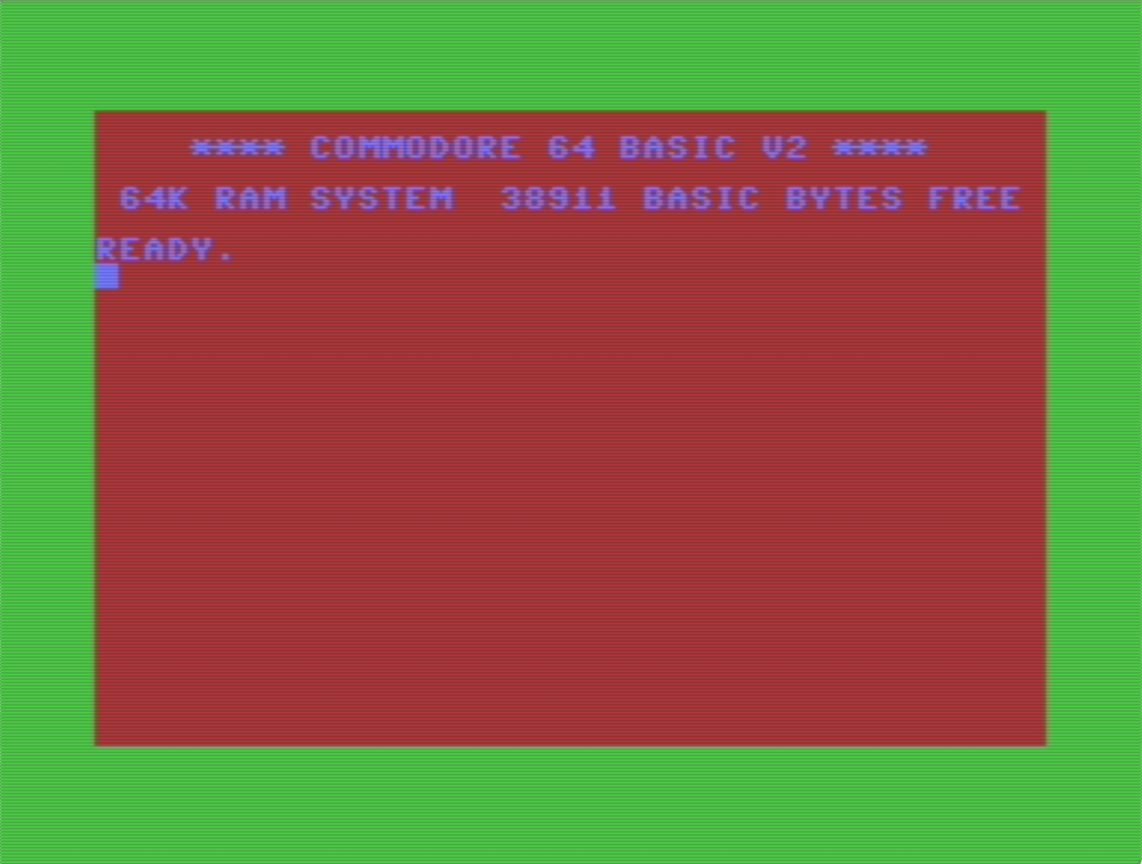
Run: dotnet watch -- run with launch VICE and allow live coding. It will display the following screen:
See the emulator setup section in the user guide.
Go to the Examples repository for more examples.
For more details on how to use RetroC64, please visit the user guide.
This software is released under the BSD-2-Clause license.
Alexandre Mutel aka xoofx.