london_class9_Meysam_Arshadi_HTML_CSS_Week_2 - #500
Conversation


|
|
||
| ### Set up | ||
|
|
||
| - **Fork and clone** this repo. |

There was a problem hiding this comment.
Usually you want have in the PR only changes related to the feature. Linter often change existing code, this should be avoided as it will make the file history harder to read (continuous changes on the "blame" section and history that are not feature related and wrong authors compared to the original author). This is , of course, more related to a work environment than this solo project, but thought to mention for the future :)
| display: block; | ||
| margin-top: 40; | ||
| margin-bottom: 0.5em; | ||
| margin-left: 100px; |
There was a problem hiding this comment.
rem are usually more responsive than pixels, you can read more https://chiamakaikeanyi.dev/sizing-in-css-px-vs-em-vs-rem/
| </div> | ||
|
|
||
| <!-- Article Two Starts Here --> | ||
| <h1 style="font-size: 3vw"> |
There was a problem hiding this comment.
try to not mix styling on the object and css, it could make harder to find the source of a specific change if you need to
| display: flex; | ||
| flex-direction: row; | ||
| align-content: center; | ||
| justify-content: center; |
There was a problem hiding this comment.
try justify-content: space-around; in addition to give a specific width I.E. 200px to each of the subsections main-links
| flex-direction: column; | ||
| align-items: center; | ||
| align-content: space-between; | ||
| text-align: center; |
There was a problem hiding this comment.
try to give a fixed width and remove all the paddings. So that all the images will fit in the space you give them and you don't have to worry about the fact that the image you are providing may have different sizes
|
|
||
| .img-resize { | ||
| width: 40%; | ||
| padding: 60px; |
There was a problem hiding this comment.
these may be unnecessary if you give a fixed width to the parent container
| </main> | ||
| <hr /> | ||
|
|
||
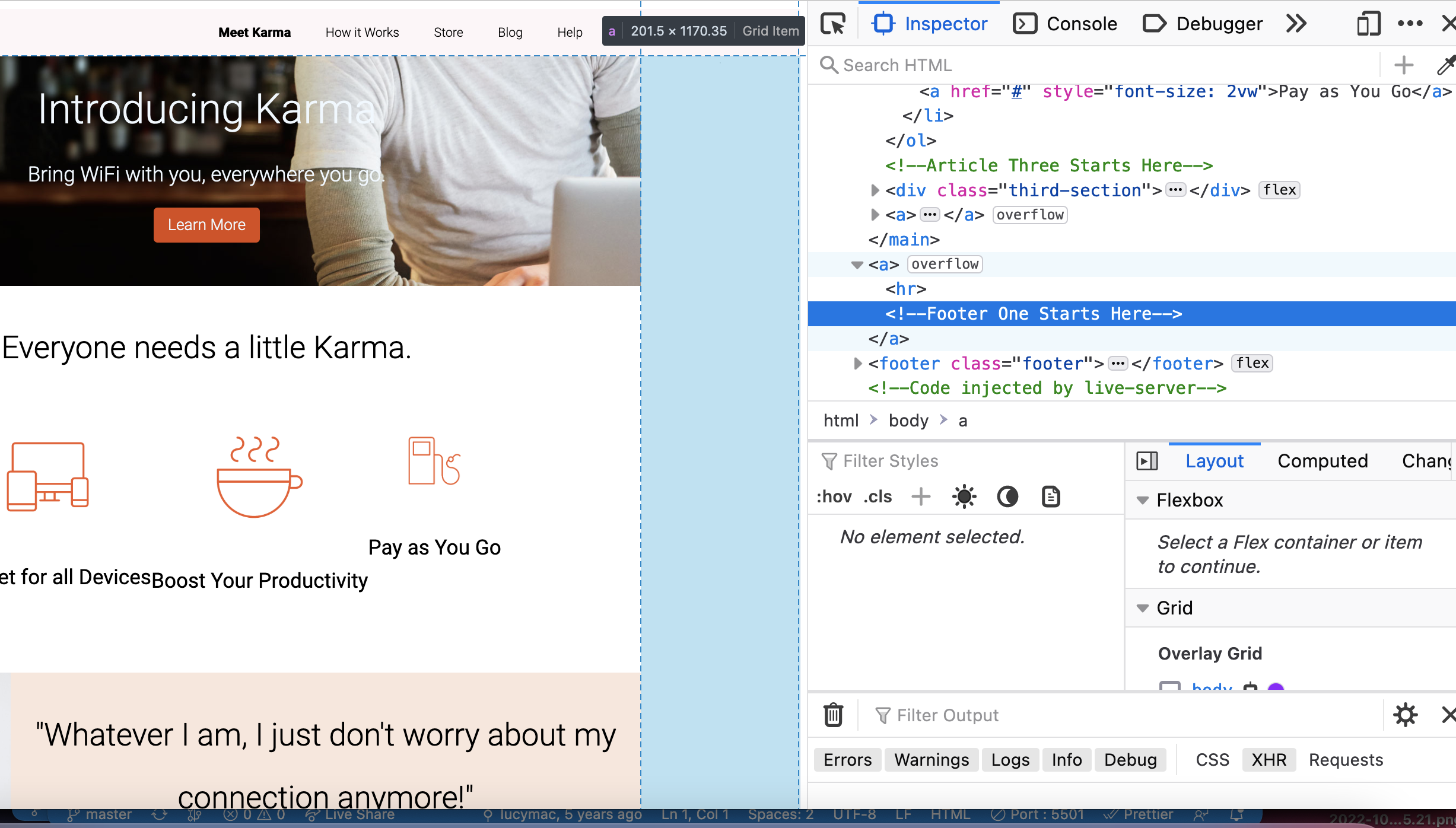
| <!-- Footer One Starts Here --> |
There was a problem hiding this comment.
I think there may be something wrong with this. It seems to have generated a column of a tag on the right.
2 participants


Volunteers: Are you marking this coursework? You can find a guide on how to mark this coursework in
HOW_TO_MARK.mdin the root of this repositoryYour Details
Homework Details
Notes
What did you find easy? Structuring HTML
What did you find hard? Working with Flex boxes and finding the correct CSS class for parent/child elements
What do you still not understand? Flex box!!
Any other notes?
View rendered README.md